A service page should answer these questions before it asks for a lead
Use this service page checklist to clarify the work you do, areas you serve, relevant proof and next steps for customers seeking a Fort Myers business.
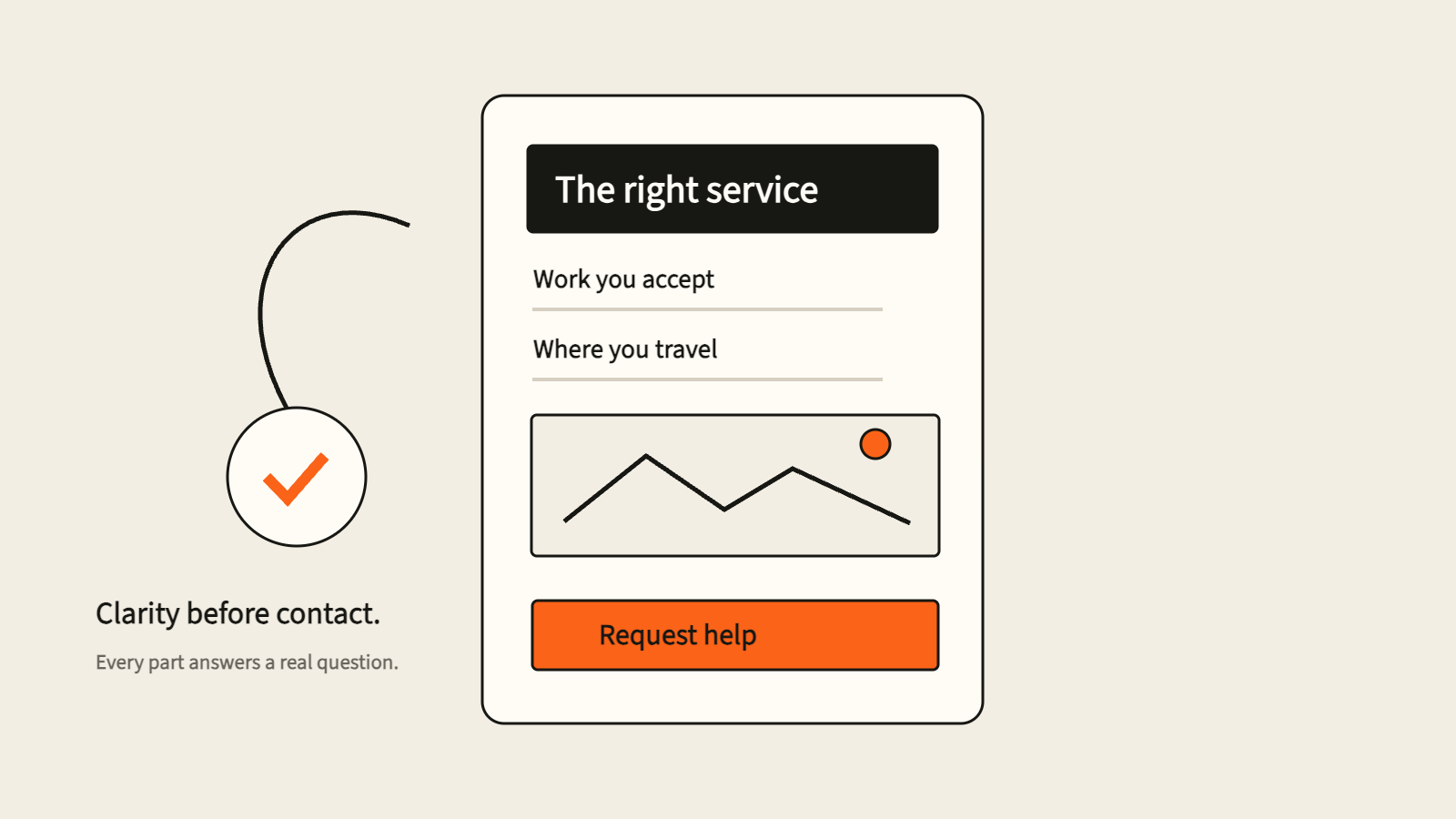
A service page asks a visitor to make a decision: trust this company enough to start a conversation. That decision becomes harder when the page leaves the actual service, coverage or next step vague. A prominent contact button cannot supply the missing information.
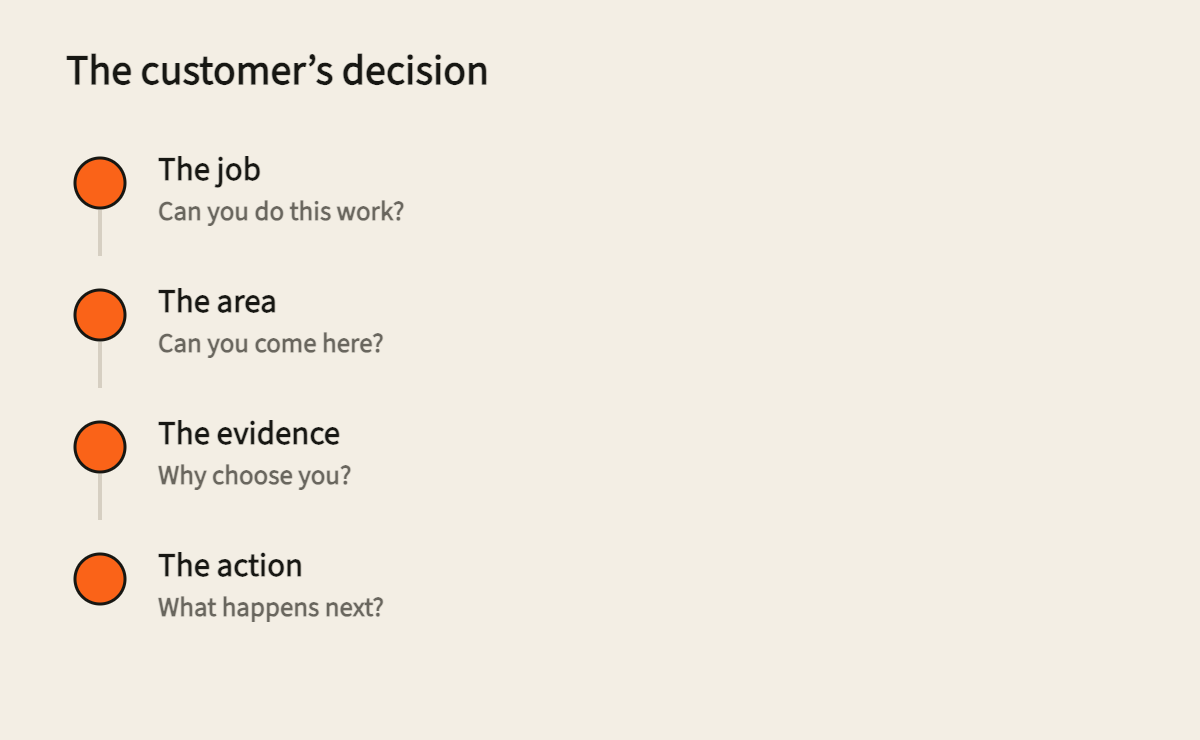
A useful service page resolves the customer’s decision before asking for contact details.
For a business serving Fort Myers, I would start with one service and one customer situation. Choose the work you want the page to bring in. Then make it possible for someone to establish fit without calling just to ask what you do.
That is a more useful brief for a web team than “make the page more modern.” It gives the writer, designer and owner a shared decision to support. It also exposes operational promises the website should not make yet.
Name the job the customer needs done
The first screen should make the service recognizable. A broad statement about quality or customer care can apply to almost any business. The customer still needs to know whether you do the particular work they are looking for.
Consider an illustrative air-conditioning business. Repair, replacement and planned maintenance are different buying situations. Someone arranging maintenance can consider a service agreement. Someone dealing with a system that has stopped cooling needs to establish whether the company handles that problem and how to request help. These are examples of page decisions, not findings from a study of local contractors.
The page does not need a separate URL for every possible symptom. It needs an intelligible service scope. Describe the work you accept, who it is suitable for and any important exclusions. If you work with residential systems but not commercial equipment, say so where that distinction will help a visitor.
A heading can be straightforward: “Air-conditioning repair for homes in your service area.” The supporting copy can clarify the kinds of issues the team handles. Add a same-day or emergency promise only if the operation can actually fulfill it. Otherwise, tell visitors how availability is confirmed.
Google’s people-first content guidance encourages content that serves an intended audience and leaves readers with a useful answer. My editorial recommendation is to apply that test to service pages: after reading the opening, can the right customer explain what they can hire you to do?
Turn service coverage into an operating promise
“Serving Southwest Florida” may be accurate, but it can leave the visitor’s specific location unanswered. A Fort Myers business expanding into Cape Coral or Estero should decide what coverage means before placing more city names on the page.
Write down where the team takes work, which services are available there, and how it handles requests outside the usual area. If coverage changes by service or appointment availability, the page should explain how a customer checks. It should not imply identical availability everywhere just because the locations appear in one list.
An illustrative coverage note might read: “Share the property ZIP code when you request an appointment so the team can confirm coverage and availability.” That sentence works only if the form actually collects the ZIP code and the team uses it. A coverage promise belongs to the operation as well as the copy.
Use a map only if it adds clarity. A highlighted region does not tell someone whether a particular job, property or appointment is accepted. Accompany it with readable coverage information. Do not make a map the only way a visitor can understand the area you serve.
Keep location language accurate. Serving a place does not establish that the business has an office there. The distinction matters for customer expectations and for the local visibility work connected to the page.
Put relevant proof beside the decision
The useful question is what a visitor needs evidence for at that point in the page. A claim about a particular service needs proof that relates to that service.
For an owner, the first step is an inventory. Collect photographs of actual work, accurate descriptions of the work completed, approved customer feedback and credentials the business can substantiate. Record what can be published and what needs permission. A familiar project can still contain a customer’s address, property details or information they did not agree to share.
Then choose evidence for a specific purpose. A real project image can help someone understand the work. A sourced review can explain an aspect of the customer experience. A relevant credential can establish a qualification. None of these automatically proves every claim about the business.
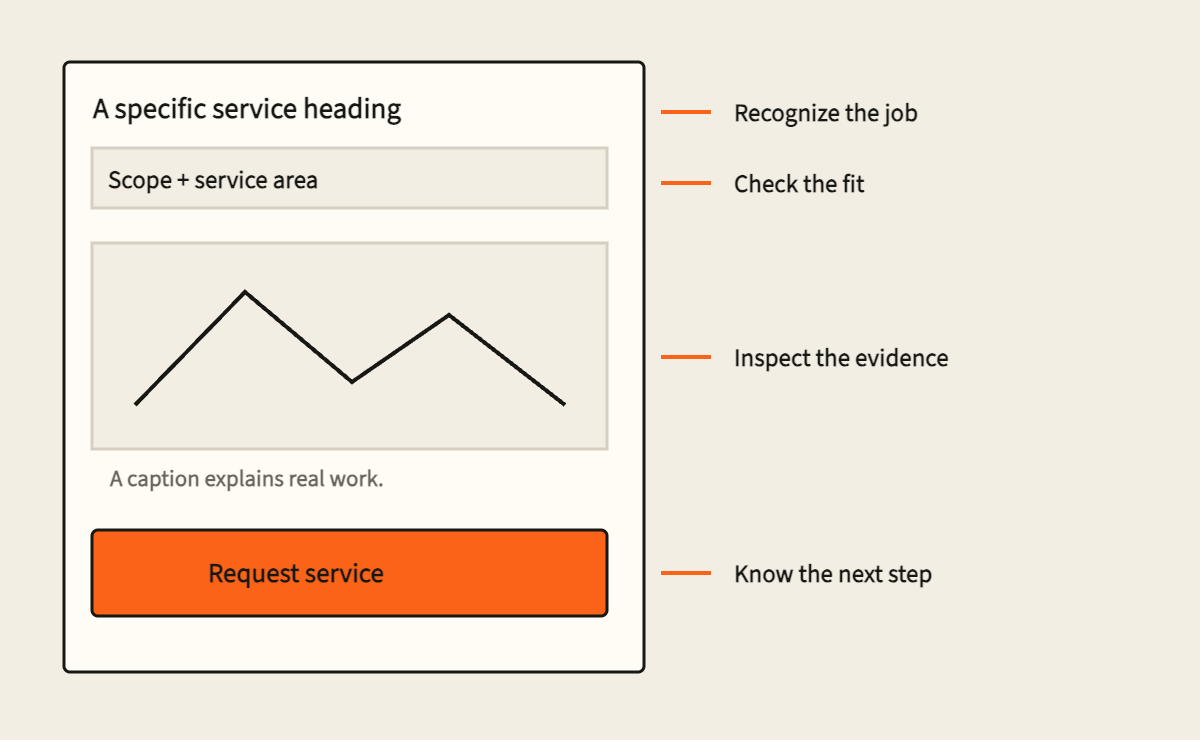
Captions should do real work. Explain what the image shows and why it belongs beside the service. “Recent project” gives the reader little to assess. A factual description of the job, with approved location detail where useful, gives the image a clearer role.
If the proof library is thin, avoid filling it with stock people or impressive-looking numbers. Explain the service process, identify who is responsible and make the boundaries clear. That will not substitute for a track record, but it will give the reader something concrete to inspect while the business builds publishable evidence.
Make the next step predictable
A visitor should know what happens after clicking. Requesting a quote, booking a confirmed appointment and asking for a callback are different actions. Choose the label that matches the actual workflow.
If submitting a form only sends an inquiry, do not present it as a confirmed booking. Explain how the team responds, which information it needs and how the customer will know the request arrived. An owner-approved response commitment can be included; an invented one should not be used to make the page sound reassuring.
Ask for the information needed to take the next action. A service request might need the kind of work, location and a contact method. The team should be able to explain why each required field exists. Extra fields that nobody uses create work for the customer and clutter for the person receiving the request.
Keep visible labels on the fields. The W3C’s form-label guidance explains how labels help people understand controls and connect them to assistive technology. Placeholder text inside a field is a poor substitute for a persistent instruction that remains visible while someone types.
A working phone link is another possible path when the team can receive calls. Verify the number and its destination. A website can make dialing easier, but the page cannot ensure someone answers. That responsibility needs an owner.
Write the page before choosing its layout
A designer can give the content hierarchy, space and visual emphasis. The owner still needs to supply the service decisions. Use the following worksheet to brief the page before choosing a layout or commissioning a redesign.
| Page decision | What the owner supplies | What should be visible on the page |
|---|---|---|
| Service fit | Accepted work, customer type and important exclusions | A specific heading and a readable explanation of scope |
| Coverage | Actual locations served and any service restrictions | A coverage statement and a way to confirm uncertain locations |
| Evidence | Approved work examples, factual credentials and attributable feedback | Relevant proof with clear captions or attribution |
| Next action | What the team can accept and what happens afterward | A correctly labeled action and an explanation of the handoff |
| Responsibility | The person or team receiving the request | A process the website and receiving team can both fulfill |
The worksheet is intentionally about content and behavior. Color, animation and visual style come afterward. They should help the visitor see these answers, not force the visitor to search through decorative sections for them.
This is the approach behind Handers’ website strategy and design work: the page starts with the decision it needs to support. A focused service page may need a meaningful revision even when the rest of the website can remain as it is.
Test the whole inquiry path
Read the page on a phone as if you had not written it. Establish whether the opening names the work, the coverage statement answers a location question and the action describes what happens next. Check that the form remains usable when the keyboard is open and that an error tells the person what to correct.
For your own site, send a clearly labeled test inquiry with the receiving team’s agreement. Verify the confirmation on the page, the message in the destination system, the notification to the person responsible and the next action. Delete or label test records according to the team’s normal process. Never test an unrelated company’s forms by sending unsolicited leads.
Record each result separately. A visible success message is evidence that the page displayed a success state. It does not, by itself, prove the inquiry reached the right person. A message arriving in an inbox does not prove someone is monitoring that inbox.
This distinction helps prevent a misleading diagnosis. If visitors can request the right work but nobody owns the response, the next repair belongs to the follow-up process. If the request never arrives, repair delivery. If visitors cannot establish fit, return to the page content.
Take a complete brief to your web team
Bring the team one chosen service, the coverage rules, approved evidence, the intended inquiry action and the person responsible for handling it. Ask them to show where each answer appears and to demonstrate the full handoff.
You will have a much clearer basis for reviewing the result. Instead of deciding whether the page feels polished, you can check whether it helps the right person understand the service and make a well-informed request.
If you want help turning those decisions into a page, bring the current website to a call with Max. Start with one service whose page needs to do a better job.
Use this guide
Work through it with your AI assistant
Copy a prompt with the article, then paste it into the assistant you use.
Put this guide to work
Bring the current website, lead path, or workflow to a focused call. I will help identify the next practical move.
Book a call with Max
Written by
Max Tymoshyn
Marketing Expert at Handers Digital. I write field notes about Fort Myers websites, local visibility, conversion paths, and the systems that connect a click to a customer conversation.
About me and all articles